Who it's for
Ops teams with driver, field, or SaaS companion apps. Carriers, logistics orgs, and B2B products where the phone must complete a job the desktop cannot.

Mobile applications
Driver, field, and SaaS companion apps - accept loads, capture POD, and sync offline when signal drops.
Ops teams with driver, field, or SaaS companion apps. Carriers, logistics orgs, and B2B products where the phone must complete a job the desktop cannot.
Offline-first UX, POD and document capture, push and GPS where needed, and API sync to your CRM, TMS, or SaaS backend - native, React Native, or Flutter based on product requirements.
Desktop shrink, delayed first action, and no offline recovery. When users abandon the app for calls and paper, we map the field workflow first, then design around one critical action per screen.
Kriva is a product design and engineering studio - not an app template vendor. You own the code, designs, and documentation after launch.
Mobile workflow problems
Web shrunk. Attention interrupted. Signal lost. Apps that ignore field conditions lose the workflow back to spreadsheets and voice.
Web screens become small, slow, and impossible to use with one hand.IMPACT: users abandon the app for calls and paper.

Onboarding and navigation block the task the user opened the app to complete.IMPACT: the first critical action never happens in the app.

Status updates and documents fail in weak-signal conditions without a clear retry path.IMPACT: lost PODs, end-of-shift catch-up, no audit trail.

Three product paths
Driver apps run on-site with weak signals. Field apps work outdoors. SaaS companions extend desktop platforms with focused tasks.
Load #4821
Next stop
CLT · 14:22 appointmentCore mobile workflow
For each action, Kriva ensures the user goal, minimum information, likely failure, offline behavior, and backend update are aligned.
Goal: Know what I'm doing today and where.
Goal: Report current status reliably.
Goal: Photo or signature required for completion.
Goal: User sees what succeeded, what's queued, what needs retry.
Engineering + backend
Native, React Native, Flutter, or design-only is chosen by product needs: camera, GPS, push, performance, offline requirements, and timeline. Mobile actions must update your CRM, TMS/API backend, SaaS platform, or document store reliably. Auto-transport orders → Car transportation.
Verified work
US trucking carrier. Drivers accepted loads, captured POD, and updated status from the yard and route - with an offline queue when signal dropped.
Paper BOLs and phone calls to dispatch. Status updates waited until end of shift - no real-time visibility for the desk.
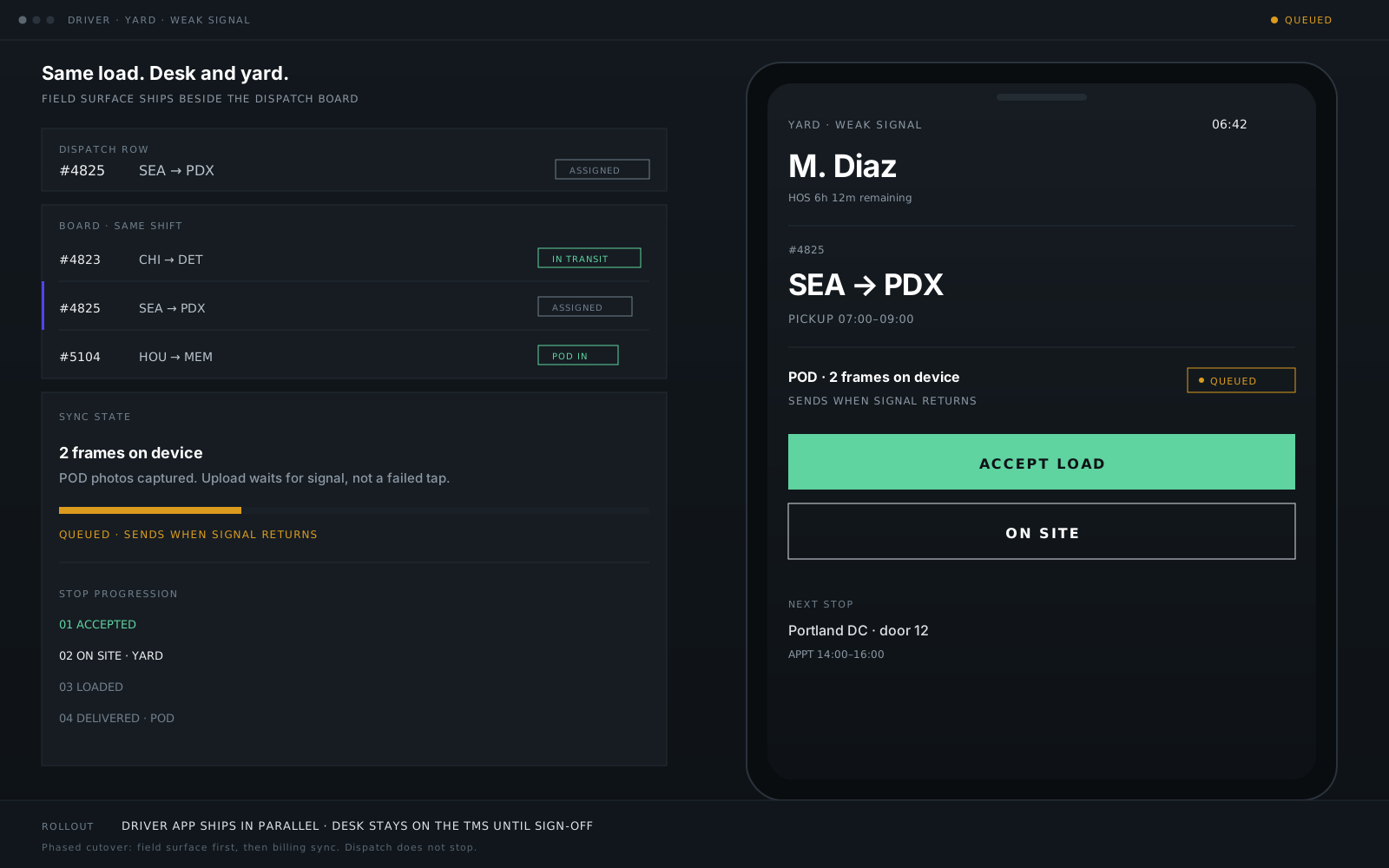
Client name changed. Metrics and dispatch console detail live in the case study and trucking solution pages.
How we work
Four stages: define the user and first critical action, prototype interrupted and offline paths, build the app and backend contract, test and launch. Kriva offers design-only or design-and-build engagements.
User, first critical action, offline needs, camera and backend requirements. Validate platform choice.
Interrupted tasks, weak signal, camera, retry states. Test on-site with real users and conditions.
Responsive UI, offline queue, API contract, error handling, and documentation. Weekly demos.
Testing on-site, beta rollout, team training. Code and design transfer to your control.
FAQ
Practical answers for driver, field, and SaaS app decisions.
The product decides, not a default. Camera and GPS depth, push behavior, performance targets, offline requirements, and timeline drive the choice - we validate platform fit during the define stage, before any build commitment.
Yes. We map the current workflow first - where users avoid, delay, or complete tasks outside the app - then redesign around the first critical action. Engagements are design-only or design-and-build, whichever your team needs.
Yes - those are the core of driver and field work. Offline-first queues with visible sync state, camera and signature capture with guidance on requirements, and retry without reentry when signal returns.
Yes. Mobile actions update your CRM, TMS/API, or SaaS platform through a defined API contract - success or visible failure, then retry or human resolution. No silent data loss.
Both. Design-only delivers prototypes, specs, and files your own engineers build from. Design-and-build ships the app and backend contract with weekly demos, testing on-site, beta rollout, and team training.
You do. Designs, source code, and documentation transfer to your accounts at launch. Retainer support is optional, with no lock-in.
Start a conversation
Bring the current app, field workflow, or first action that keeps failing. We'll determine whether the problem is UX, offline behavior, platform choice, integration, or the wider product workflow. No RFP required.
Reply within one business day NDA available No obligation
We will reply within one business day. If you still need a longer brief or a scheduled call, use the contact page.