Who it's for
Ops, sales, service, and finance teams outgrowing the CRM. Carriers, SaaS companies, and service orgs where the CRM records data but spreadsheets, checklists, or side tools run the actual workflow.

CRM & workflow automation
HubSpot, Salesforce, or custom ops consoles - bulk actions, SLA on the row, and audited overrides when the CRM records data but the desk still runs a spreadsheet beside it.
Ops, sales, service, and finance teams outgrowing the CRM. Carriers, SaaS companies, and service orgs where the CRM records data but spreadsheets, checklists, or side tools run the actual workflow.
Custom CRM development and modernization. Operational consoles, HubSpot and Salesforce workflow layers, automation, integrations, and role-based views - configured beside an existing CRM or rebuilt when the platform is the constraint.
Side systems, brittle integrations, and ownership gaps. We map the workflow first, then build the console, automation, or connector that closes the gap.
Kriva is a product design and engineering studio - not a CRM vendor. You own the code, designs, and documentation after launch.
CRM problems
When bulk actions and role density are missing, the desk builds workarounds - each with an operational cost.
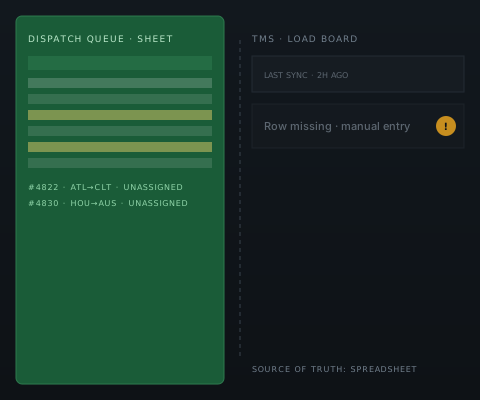
High-volume assignment and SLA tracking live in a shared sheet beside the CRM.COST: double entry, no audit trail, stale system data.
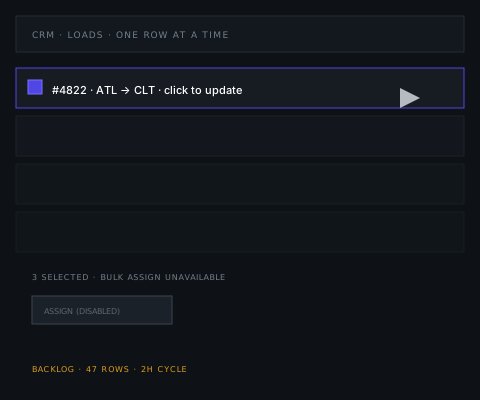
Every record change is a manual click. Bulk workarounds slow update cycles to hours.COST: dispatch backlog, supervisor rework.
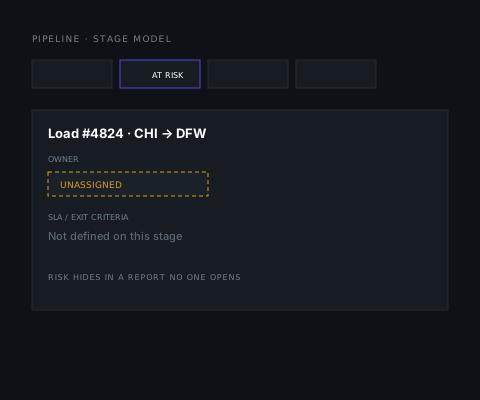
Stage models lack exit criteria. Risk hides in a report the team never opens.COST: exceptions surface late, customers call first.
What we build
Same CRM record - different density, fields, and actions per role. We design views matched to how each team actually works the pipeline or load board.
Rep view for daily progression. Manager view for forecast risk. Required fields before stage change - not silent automation without rollback.
Multi-select actions, exception queues sorted by urgency, and supervisor overrides with audit history - built for high-volume desks.
Queue by priority and SLA. Handoffs between tiers stay on the record. Status visible to ops without chasing updates in chat.
Invoice triggers, reconciliation states, and sync visibility to QuickBooks or Xero - finance sees counts and exceptions, not raw API logs.
Multiple records, risk and SLA visible as selected.
Permissions, conflicts, required fields checked before applying.
One bulk action to all selected records, confirmed once.
Record written to the audit trail: who, when, affected records, outcome.
One action · four system updates
How we work
Not every workflow needs a custom build. We assess before recommending replacement.
Engagement path
HubSpot, Salesforce, or Pipedrive when stages, permissions, and native bulk actions already fit. Tune fields, views, and reports - not a platform project.
Keep the CRM as source of record. Add dispatch consoles, automation layers, API connectors, or accounting sync when one workflow or integration is the gap.
When spreadsheets run core work, exceptions are invisible, or the platform cannot support bulk work, role density, or audited overrides - module-by-module or full replacement.
Delivery process
Six stages from shadowing the desk to safe rollout. One team throughout - no subcontracting.
Shadow users, roles, handoffs, and workarounds. Document what the CRM should control - not the ideal process.
Pinpoint where side systems, permission gaps, or missing bulk actions force work outside the CRM.
Prototype role-based views, automation rules, and exception handling with the desk before writing production code.
Ship CRM surfaces, connectors, and automation beside the existing stack. Weekly demos on a live URL.
Test bulk actions, integrations, and edge cases against sanitized data shapes - not demo records alone.
Phased cutover by role or module. Transfer code, designs, and docs to your accounts. Optional retainer after go-live.
Case study · ShiftRail
−32%Manual handle time per load 11 minAvg exception response 99.4%Console uptime
Signed-off ShiftRail outcomes. Illustrative UI - no client data shown.
Illustrative dispatch CRM
Dispatch console
Console pattern from carrier dispatch work - exception queues, row-level SLA, and supervisor overrides in one surface.
Trucking & logistics solutions → Fleet dashboards →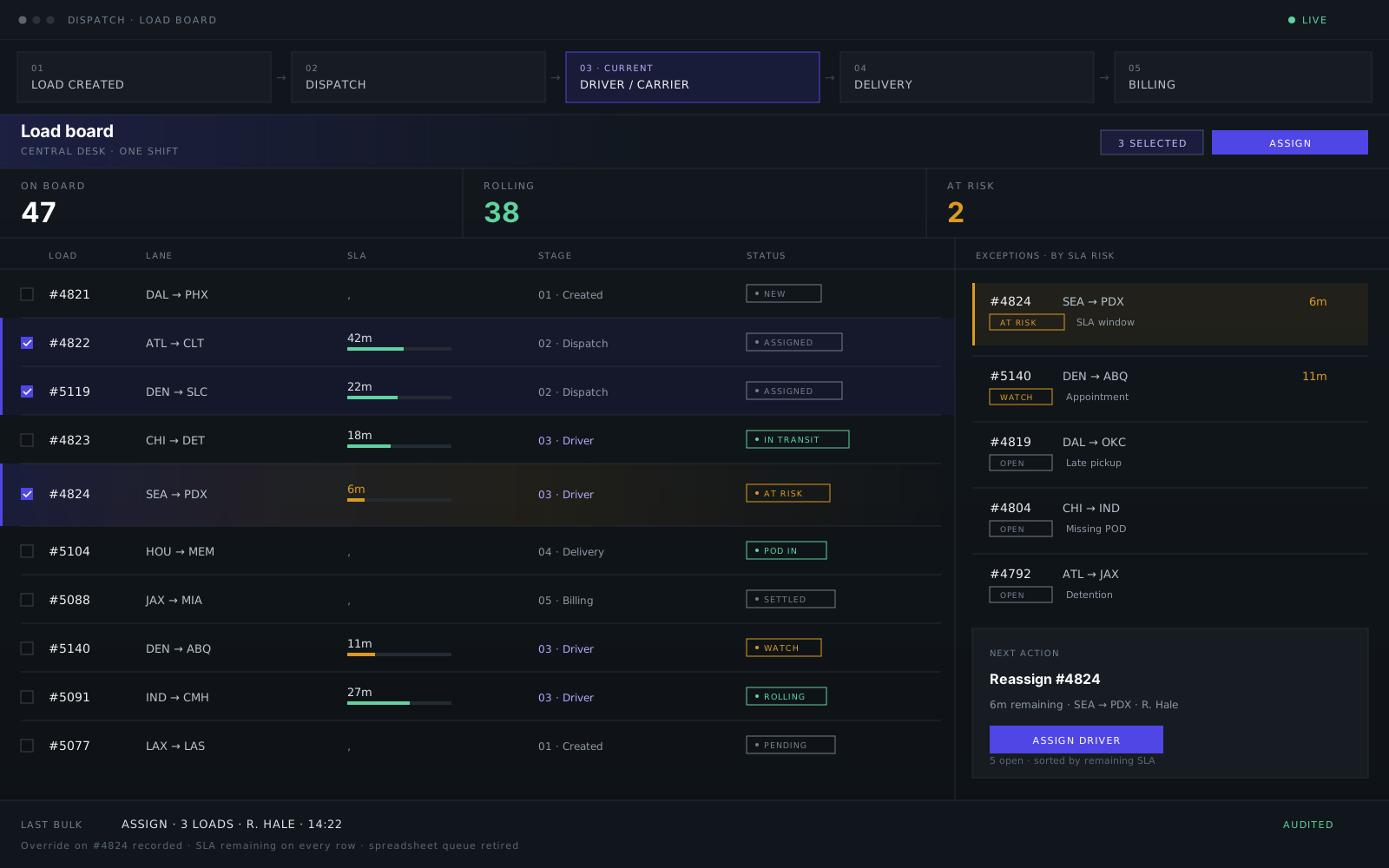
Integrations
Connectors expose failures, retries, and reconciliation states teams can act on - no silent automation.

 QuickBooks & Xero
FAQ
Straight answers - so the first call starts further along.
We assess first. If stages, permissions, and native bulk actions already fit, configuration is the answer - not a platform project. Replacement only comes up when the platform cannot support bulk work, role density, or audited overrides.
Yes - HubSpot, Salesforce, and Pipedrive are the common cases. We build workflow layers, operational consoles, and automation beside them, with integration tests against your CRM schema versions and sanitized staging data. The stack is Next.js, React, and TypeScript.
Yes. QuickBooks and Xero sync for invoices and settlement, customer and vendor record mapping, and reconciliation states finance can act on - with visible retry queues and human approval where required, never silent automation.
That's the core of most engagements. Repetitive row-by-row updates become validated bulk actions: select, check permissions and required fields, apply once, and write the outcome to an audit trail - who, when, and what changed.
Yes. Records, history, and operational data are mapped and validated before cutover, with staging runs against sanitized data shapes - not blind bulk imports. Cutover is phased by role or module so daily work continues.
You own the source, designs, and documentation - everything transfers to your accounts. Retainer support is optional, with no lock-in. Iteration continues after go-live through operator feedback loops.
Start a conversation
Name the CRM - HubSpot, Salesforce, or custom - and the workflow step still stuck in a spreadsheet. No RFP required.
Reply within one business day NDA available No obligation
We will reply within one business day. If you still need a longer brief or a scheduled call, use the contact page.