Who it's for
Carriers, brokers, and ops teams whose dispatch desk runs differently than a generic TMS assumes, and need software shaped to that workflow.

Product design & engineering
KRIVA designs and builds dispatch consoles, driver workflows, and integrations around how your team actually runs loads, alongside your TMS and the tools you already use, not an off-the-shelf product.
Carriers, brokers, and ops teams whose dispatch desk runs differently than a generic TMS assumes, and need software shaped to that workflow.
Dispatcher consoles, driver and carrier interfaces, operations views, and integrations, designed and built around your workflow, whether that extends your current TMS or replaces a limiting piece.
Spreadsheet queues, manual status updates, late exceptions. We map how loads move today, then build the surface or connector that closes the gap, without assuming you need a full platform swap.
Kriva is a product design and engineering studio, not a boxed TMS vendor. You own the code, designs, and documentation after launch.
Before you spec a rebuild: read our dispatch CRM guide for US trucking companies - what actually works when spreadsheets still run the shift.
Operational problems
When the record and the shift diverge, teams often rely on spreadsheets, calls, chat, separate workflows, and manual exception handling, not because every TMS fails, but because the day-to-day path was never fully captured in software.
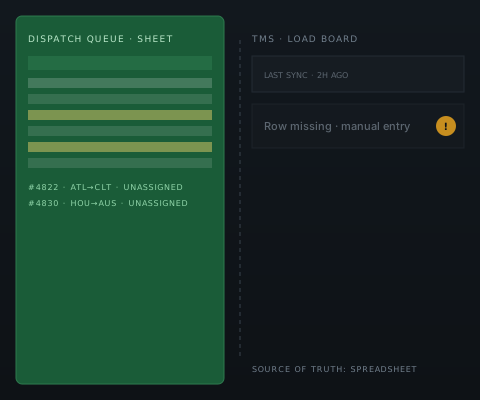
The real queue lives in a shared sheet dispatch trusts more than the TMS.COST: double entry, missed loads, no audit trail
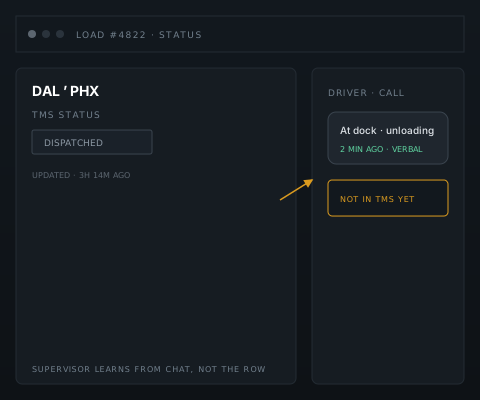
Status in the system lags what dispatch already knows from calls and chat.COST: supervisors react late, customers call first
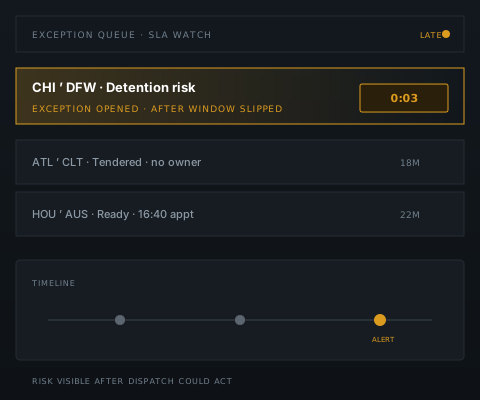
SLA risk surfaces after the window slips, not on the row where dispatch can act.COST: detention fees, reassignments under pressure
What we build
Every handoff, from tender to settlement, lives on a single load record, served to each team through the interface built for their job.

Trucking workflow
From tender to settlement - dispatch, field, and finance on the same record, not three spreadsheets.
Customer order, lane, and SLA captured once, not re-keyed into a side sheet.
Assignment, bulk actions, and exceptions on one board with audit history.
Acceptance, in-transit updates, and documents, even on weak yard signal.
POD, detention, and delivery confirmation tied back to the load row.
Invoice-ready data synced to finance with retry states finance can trust.
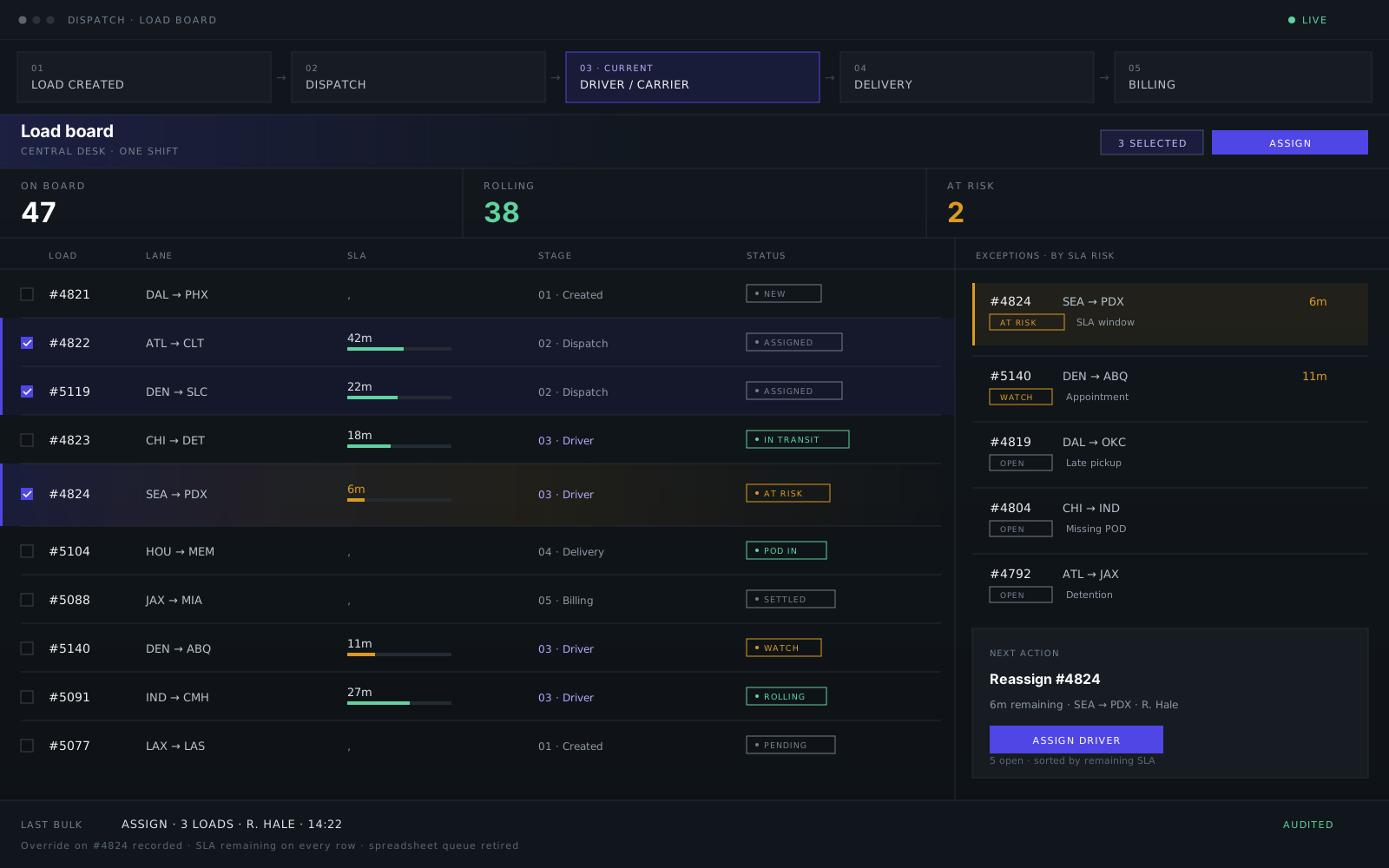
Plan, assign, update, and manage loads, with bulk actions, row-level SLA, and audited overrides for high-volume desks.
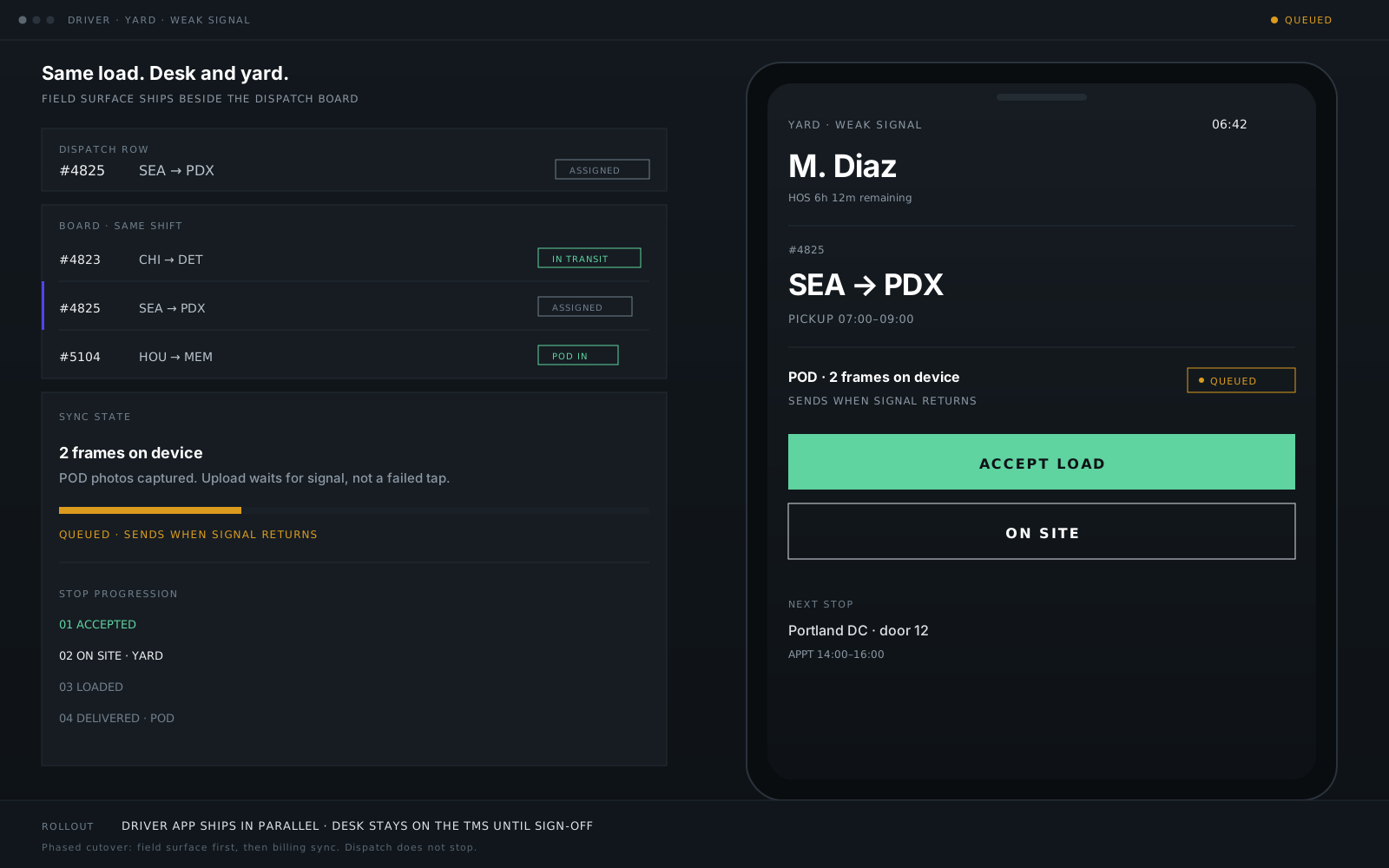
Give drivers the information and actions they need, acceptance, stop progression, and POD on weak signal, one-handed in the yard.
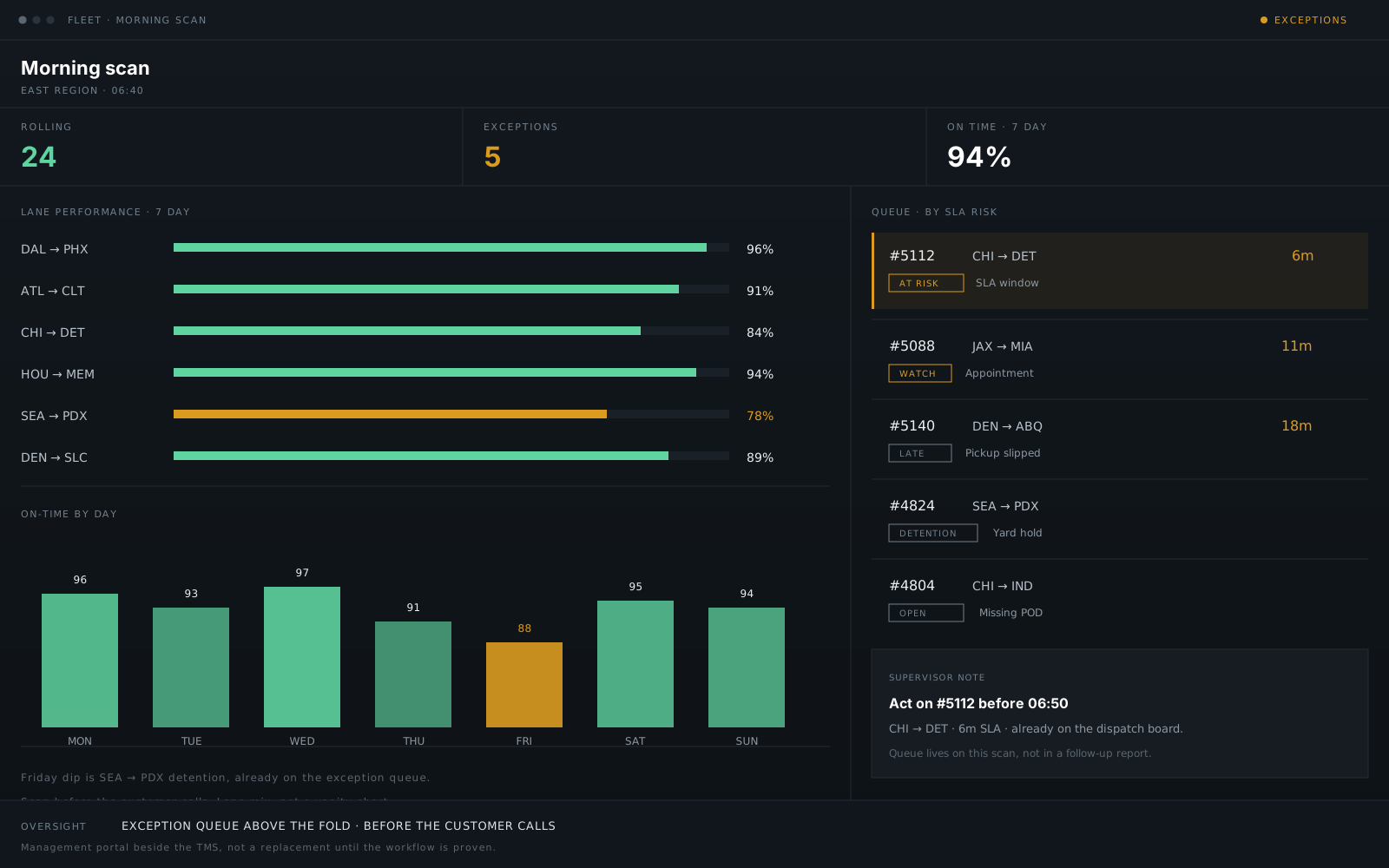
Track status, exceptions, and delivery progress, with lane performance and drill-down before the customer calls.
How we work
We assess the workflow before recommending a build approach. Custom is a conclusion, not a default.
Your TMS handles core workflows and integrations are stable. Tune fields, permissions, reports, or minor workflow gaps without a platform project.
Keep the TMS as source of record. Add a dispatch console, driver app, customer portal, or connectors that work with systems you already use, ELD, maps, EDI, or finance.
When spreadsheets run dispatch, exceptions surface too late, or the legacy system cannot support your model, module-by-module or full platform replacement.
Understand how dispatch and operations work today, shadow shifts, exceptions, and workarounds. Document handoffs, integrations, and what the spreadsheet actually controls.
Prototype and ship new surfaces or connectors in parallel, feature flags, sanitized staging, weekly demos on a live URL.
Test bulk actions, exception handling, and integrations with the people who use the workflow, not demo data alone.
Phased cutover when operations signs off. Operator docs, data migration checks, and iteration after go-live.
Not sure which path fits? Start with a workflow review - we'll recommend configuration, integration, modernization, or rebuild.
ShiftRail case study
ShiftRail dispatch CRM replaced spreadsheet dispatch with bulk assign and row-level SLA. Read the case study - phased rollout with the TMS and tools already in place.
Metrics are signed-off project outcomes from the ShiftRail engagement. Illustrative UI only, no client data shown.
Queue · by SLA risk
In the field
Operators bulk-assign loads and see SLA breach risk on every row before it becomes a phone call - no parallel spreadsheet.
Read the ShiftRail case → Dispatch CRM & TMS →
Integrations
Keep your TMS as source of record where it belongs. We connect dispatch, telematics, EDI, QuickBooks, Xero, and driver workflows, with visible retries, not silent drift.

 QuickBooks & Xero
FAQ
Direct answers, including when custom is not the right move.
Yes, that's the most common path. We keep your TMS as the source of record when that makes sense and build dispatch consoles, driver apps, or portals connected through its API, EDI, or file exchange, scoped in discovery.
Often no. Many projects tune gaps, add a console beside the TMS, or replace one module at a time. Full replacement is an option when spreadsheets run dispatch, exceptions surface too late, or the architecture cannot support your model.
Yes. We map assignment, bulk actions, exceptions, and supervisor overrides from how dispatch works today, then build the board or console around that, usually the first module we ship.
Yes. Load-to-invoice workflows and reconciliation states can sync to QuickBooks or Xero, with retry visibility finance can trust, not silent drift between ops and books.
Yes. Driver and carrier apps for load acceptance, in-transit updates, and POD, with offline queue where yard signal is weak. Updates sync back to dispatch and your TMS.
Yes. We map what the spreadsheet actually controls first, the queue, the SLA logic, the handoffs, then rebuild it as an audited board so nothing dispatch relies on gets lost in the transition.
Yes. Most engagements start with the highest-pain module, usually dispatch, and expand in whatever sequence carries the least operational risk. New surfaces run in parallel with phased cutover after operations signs off.
Start a conversation
Share a TMS screen, spreadsheet, dashboard, workflow, or operational problem dispatch relies on today. We'll review it and recommend whether to configure, extend, integrate, or rebuild. No RFP required.
Reply within one business day NDA available No obligation
We will reply within one business day. If you still need a longer brief or a scheduled call, use the contact page.