Best for
Auto-transport brokers and carriers where quote, dispatch, tracking, and POD live in separate tools - and ops reconciles orders manually at month-end.

Car transportation
Auto-transport brokers and carriers: itemised quotes, dispatch console, customer tracking, and driver POD - one order ID from booking to invoice.
Auto-transport brokers and carriers where quote, dispatch, tracking, and POD live in separate tools - and ops reconciles orders manually at month-end.
Quote engine, booking portal, dispatch console, customer tracking, driver POD, and integrations that keep one order ID from booking to invoice.
General freight TMS and carrier dispatch for non-auto loads - see Trucking & logistics. Driver apps → Mobile applications.
Kriva is a product design and engineering studio - not a boxed transport platform vendor. You own the code, designs, and documentation after launch.
Core challenges
Most auto-transport platforms solve for one side of the business. The customer books, the carrier picks up, ops handles exceptions, and nothing connects cleanly.
The customer sees one price while ops must reconstruct lane, vehicle, and timing. That gap forces manual corrections, support calls, and lost conversions.
Assignment, driver updates, and exceptions move into texts and spreadsheets outside the platform. The console becomes reference only, not the source of truth.
POD capture, invoicing, and CRM updates still require separate manual steps. One delivery event should close the order - not trigger three systems.
Quote to proof of delivery
Follow the complete journey from quote request to signed POD: which users drive each phase, what must work before the next one starts, and how the product serves each transition.
Mobile-first entry for vehicle type, condition, origin, destination, pickup window, and payment. One unexplained price invites a competitor call. Customers need to see the breakdown and book with confidence.
Customer-facingMatch the load to a carrier who can actually fulfill it: verified insurance, available slots, correct equipment, and pickup window. Exceptions stay on the console, not in messages. One dispatch notification cuts support volume more than any other message.
Ops consolePhotos, notes, running-or-not check, and driver status: in a driveway, daylight, one-handed. Weak signal behavior and offline queue ensure status updates queue and sync when signal returns. The condition report is the product at pickup.
Driver appSignature, photos, and delivery confirmation from one event: delivery, billing, CRM follow-ups, and accounting integration fire together. Customers see status and ETA updates before they ask. One shareable tracking link handles customer communication.
Driver app Ops automation Customer trackingCustomer booking portal
Itemise the quote once. Share it both ways. A single unexplained figure invites a call to a competitor.
Illustrative example breakdown - not a rate card.
Four connected products
End-to-end design and development from one in-house team: booking portal, dispatch console, customer tracking, and driver app - all speaking the same order ID.
Illustrative · Mobile quote entry · step 1 of 3
Quote, book, and pay without a phone call. Mobile-first entry: lane and vehicle captured before price, where drop-off kills conversion.
Illustrative assignment view - not live client data.
Assign loads, coordinate drivers, and manage exceptions from a single ops console: slots, lane, and verification on the record.
Illustrative tracking view - not live client data.
Shipment status, ETA updates, and notifications sent before the question is asked. One shareable link per order.
Illustrative driver POD - not live client data.
Pickup, delivery confirmation, and document capture usable in a driveway, in daylight, one-handed, not a shrunk dispatch board.
Integrations and reliability
Visible validation errors, failed-sync states, retry paths, and human review where required. One order ID across the complete workflow.
Customer sees quote rejections or carrier availability issues immediately, not after payment.
Visible when POD fails to invoice or dispatch fails to reach the driver. Retry logic is visible, not silent.
Same order ID in booking, dispatch, driver app, tracking, and invoice. Reconciliation happens at a glance.
Proof · stated honestly
No published auto-transport case yet - under NDA we can show relevant dispatch and booking work on a fit call.
ShiftRail covers dispatch consoles and exception handling; LocalServe covers booking flows and two-sided ops.
Published transport work
No auto-transport product case is published yet. You can still review quote-led transport sites we shipped - live on the web and listed on Work: Xmile Auto Transport, EliteOne Transportation, and Schwarz Logistics. Case-study interfaces remain illustrative; the live sites show the quote-first conversion pattern.
ShiftRail · dispatch
Bulk assign, SLA on every row, and exception queues sorted by urgency - the same dispatch patterns auto-transport ops consoles are built from.
Read the ShiftRail case →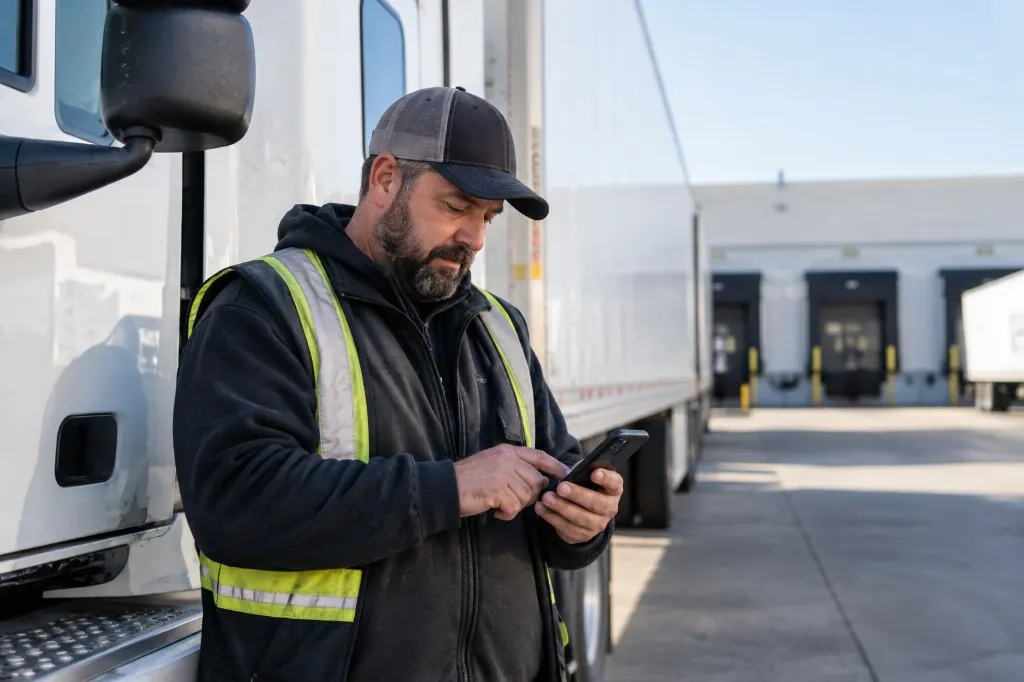
Booking & quote
Lane, vehicle, and price on one screen - the same quote-first pattern we ship for auto-transport booking portals.
Read the LocalServe case →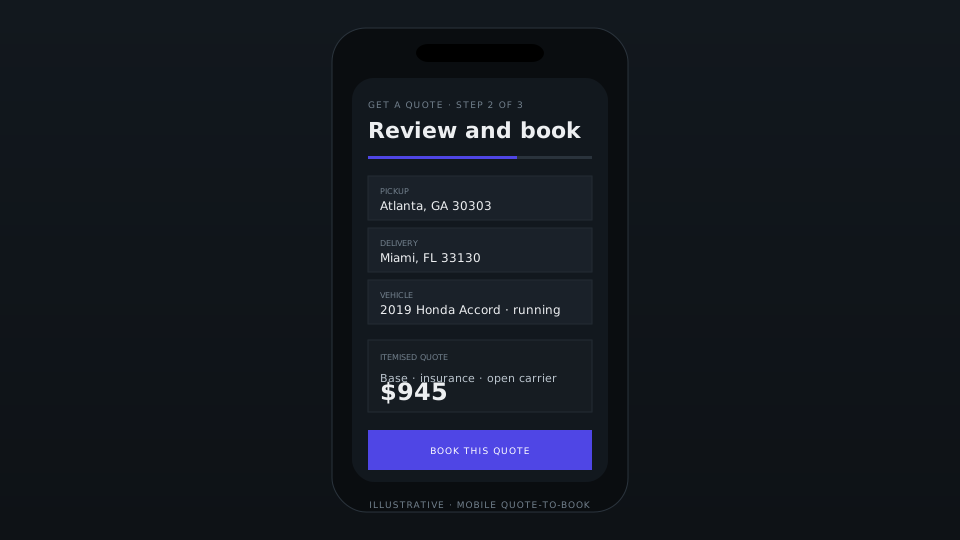
Delivery process
Journey mapping through launch with written gates, weekly demos, and one team in the code and on the call.
Full process →Customer, carrier, driver, and ops journeys to find friction in quote-to-delivery before UI begins.
High-fidelity UX for quote, dispatch, tracking, and POD workflows with your team before production code.
Portal, dispatch console, customer tracking, driver apps, and verified integrations with your TMS or CRM.
Monitor failures, conversion tuning, ops feedback loops, and full transfer of ownership to your team.
FAQ
Asked most often by auto-transport brokers and carriers before a first call.
Yes - that's where most engagements start. We map the quote-to-POD journey first, find where orders leak into texts and spreadsheets, then recommend whether the fix is configuration, a connected surface, a redesign, or a rebuild.
Yes. The order record connects to your TMS, CRM, and accounting through defined APIs - with visible validation errors, failed-sync states, and retry paths instead of silent drift. One order ID carries across every system.
Yes. Itemised quote engines with logic your team adjusts as lanes, equipment, and fuel move - without an engineering ticket - and customer tracking with status, ETA updates, and one shareable link per order.
Yes. Condition capture, signatures, and POD work offline-first: updates queue on weak signal and sync when it returns, with visible states for what succeeded and what's pending. Built for a driveway, daylight, one-handed use.
You do. Designs, source code, and documentation transfer to your accounts at launch. Retainer support is optional, with no lock-in.
Start a conversation
Describe the booking, quote, dispatch, tracking, or POD step that still lives outside the system. We'll determine whether it should be configured, connected, redesigned, or rebuilt. No commitment required.
Reply within one business day NDA available No obligation
We will reply within one business day. If you still need a longer brief or a scheduled call, use the contact page.